# Volume attached from old server

This article explains how we attached the old instance's volume to the new server.

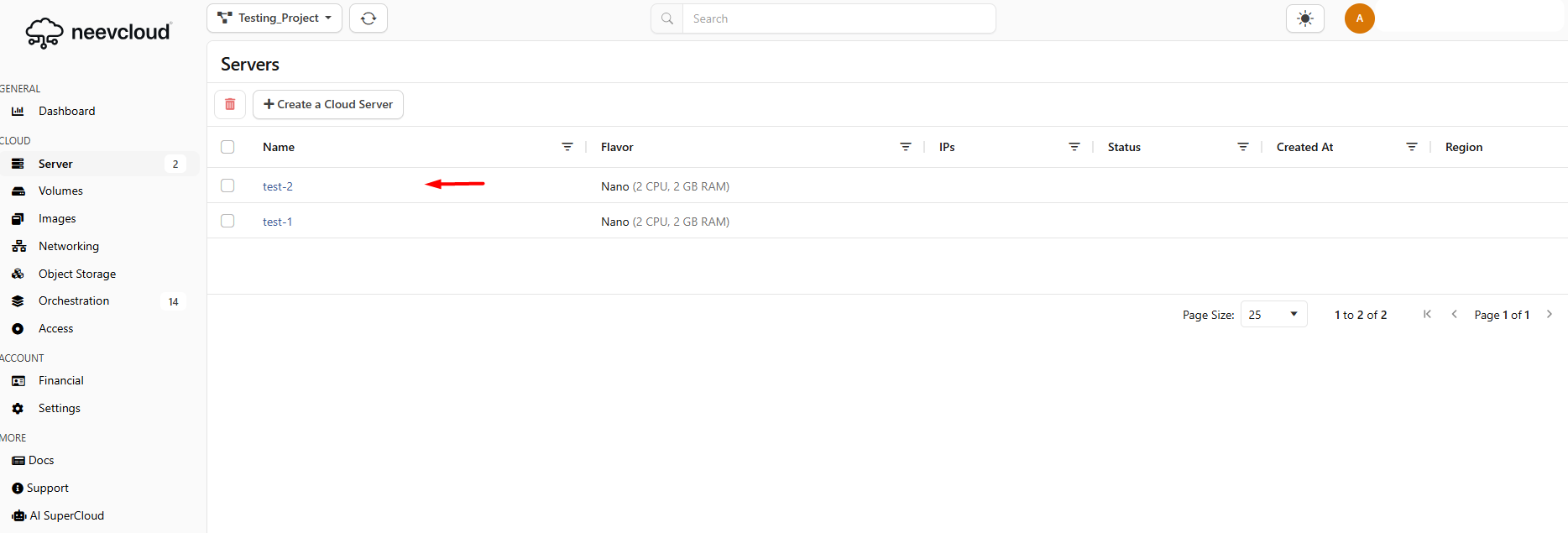
We have two instance's: test-2 and test-1

<figure><img src="https://1876135298-files.gitbook.io/~/files/v0/b/gitbook-x-prod.appspot.com/o/spaces%2FEC5NwtFshv6EATOemuUn%2Fuploads%2F5y7i056XmY6Mwiz9jeuW%2Fimage.png?alt=media&#x26;token=67f164c1-3c45-45ba-98a7-208934be140e" alt=""><figcaption></figcaption></figure>

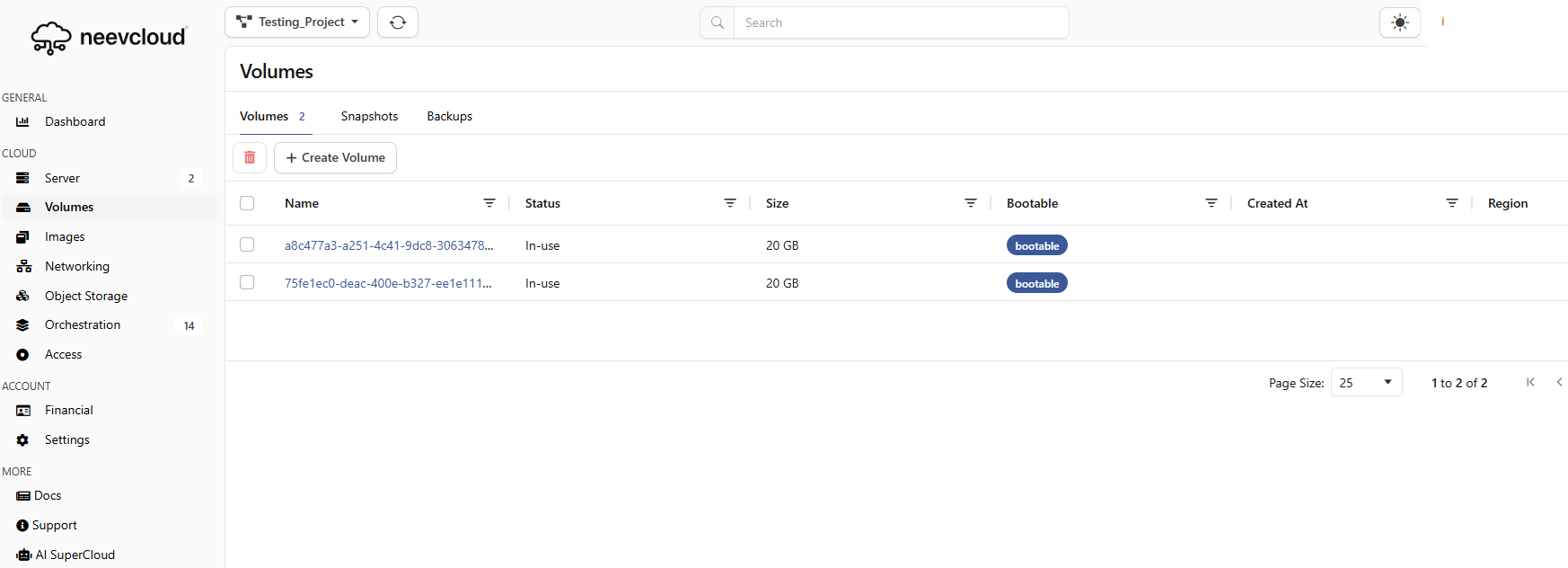
Let's check that both volumes are visible&#x20;

<figure><img src="https://1876135298-files.gitbook.io/~/files/v0/b/gitbook-x-prod.appspot.com/o/spaces%2FEC5NwtFshv6EATOemuUn%2Fuploads%2FphoXTmQ5DyAkpc2m58HP%2Fimage.png?alt=media&#x26;token=87f1d7c2-362d-407c-9c1d-17dd7db850d4" alt=""><figcaption></figcaption></figure>

I have now deleted the test-2 server and attached its volume to another server.

<figure><img src="https://1876135298-files.gitbook.io/~/files/v0/b/gitbook-x-prod.appspot.com/o/spaces%2FEC5NwtFshv6EATOemuUn%2Fuploads%2FLzc3Iy6Dfx1rKucH3k4C%2Fimage.png?alt=media&#x26;token=4e470f7d-fe5a-496d-be90-a758b6d934ca" alt=""><figcaption></figcaption></figure>

After deleting the instance, you will see that the volume is now available. Attach this volume to another instance.

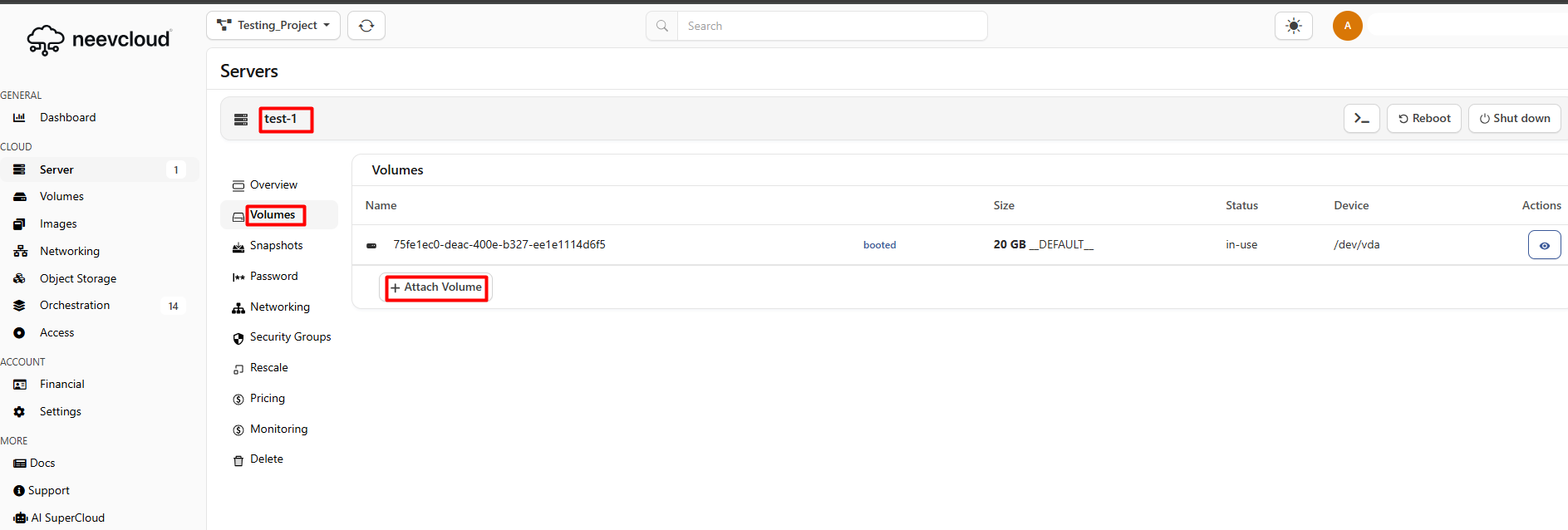
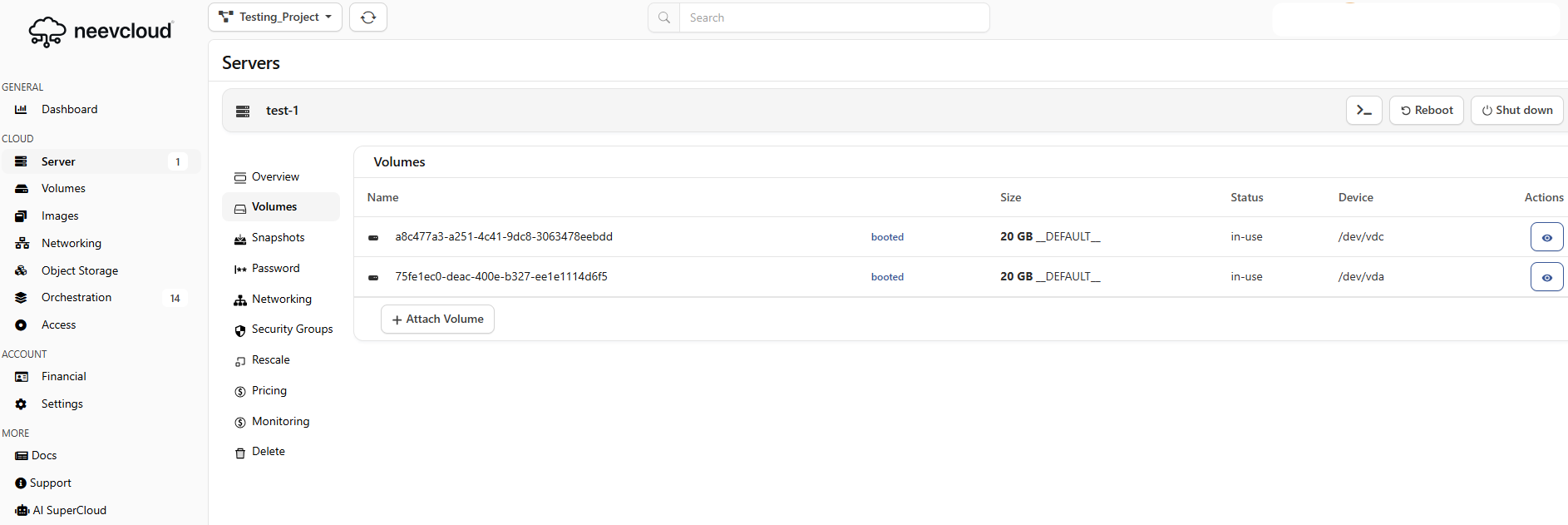
Now open another instance, test-,1, and navigate to the volume section, click on the attach volume.&#x20;

<figure><img src="https://1876135298-files.gitbook.io/~/files/v0/b/gitbook-x-prod.appspot.com/o/spaces%2FEC5NwtFshv6EATOemuUn%2Fuploads%2F70trUvrZXAfZHUgIWgkR%2Fimage.png?alt=media&#x26;token=bde2cc08-1f10-44ab-bae7-4689f93015c6" alt=""><figcaption></figcaption></figure>

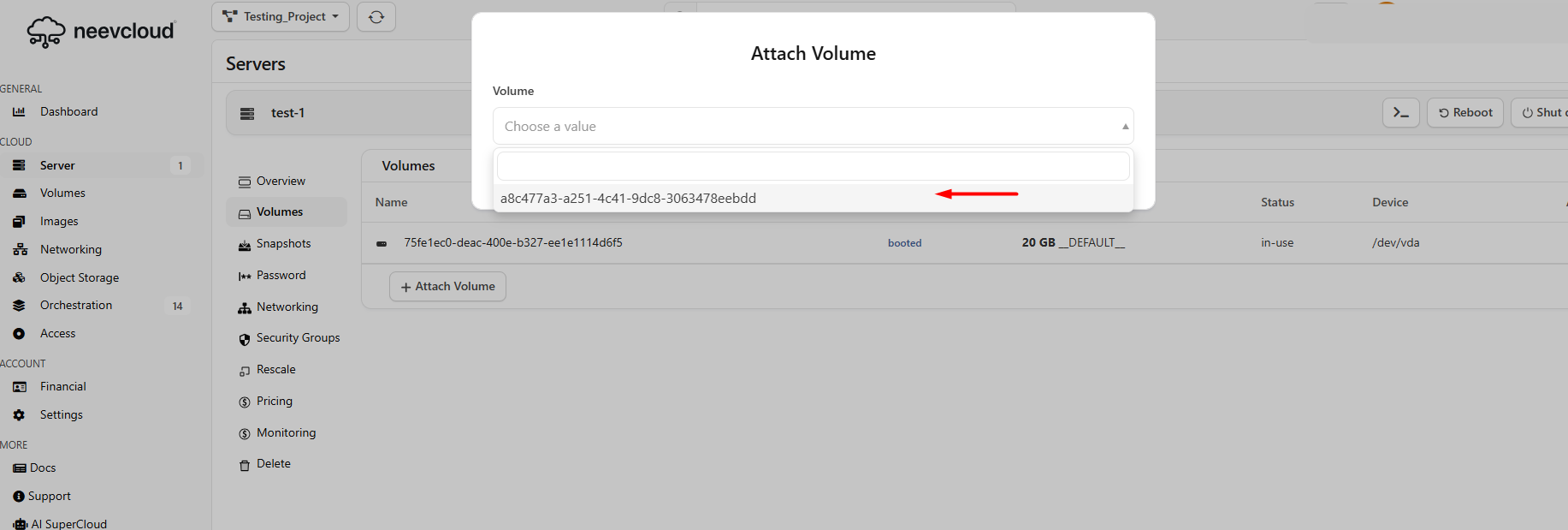
Select the available volume&#x20;

<figure><img src="https://1876135298-files.gitbook.io/~/files/v0/b/gitbook-x-prod.appspot.com/o/spaces%2FEC5NwtFshv6EATOemuUn%2Fuploads%2FmVQeJ7MHMWFYoWpBRIKJ%2Fimage.png?alt=media&#x26;token=a59096e6-27fe-411c-b391-ef4e077b0a79" alt=""><figcaption></figcaption></figure>

Let's see both volumes are visible

<figure><img src="https://1876135298-files.gitbook.io/~/files/v0/b/gitbook-x-prod.appspot.com/o/spaces%2FEC5NwtFshv6EATOemuUn%2Fuploads%2F4x8UdgoC3Sa0wCOjZX2R%2Fimage.png?alt=media&#x26;token=d099b0a7-c2d7-4616-a634-772ef1ed0240" alt=""><figcaption></figcaption></figure>

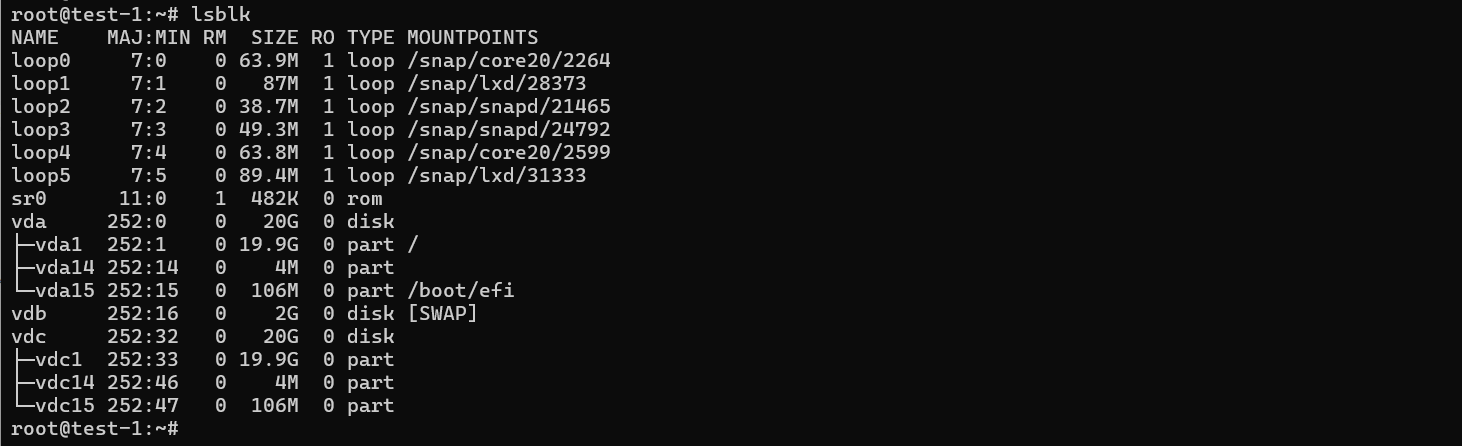
Now, log in to your instance and run the `lsblk` command&#x20;

Both volumes are visible.

<figure><img src="https://1876135298-files.gitbook.io/~/files/v0/b/gitbook-x-prod.appspot.com/o/spaces%2FEC5NwtFshv6EATOemuUn%2Fuploads%2FUu5hcwfRQiSgCAv0bzyn%2Fimage.png?alt=media&#x26;token=23d21864-c819-40f0-a276-8231f521f174" alt=""><figcaption></figcaption></figure>