# Create Router

## Create a Router

A router is a device that forwards data packets between computer networks, enabling multiple devices to share the same internet connection.

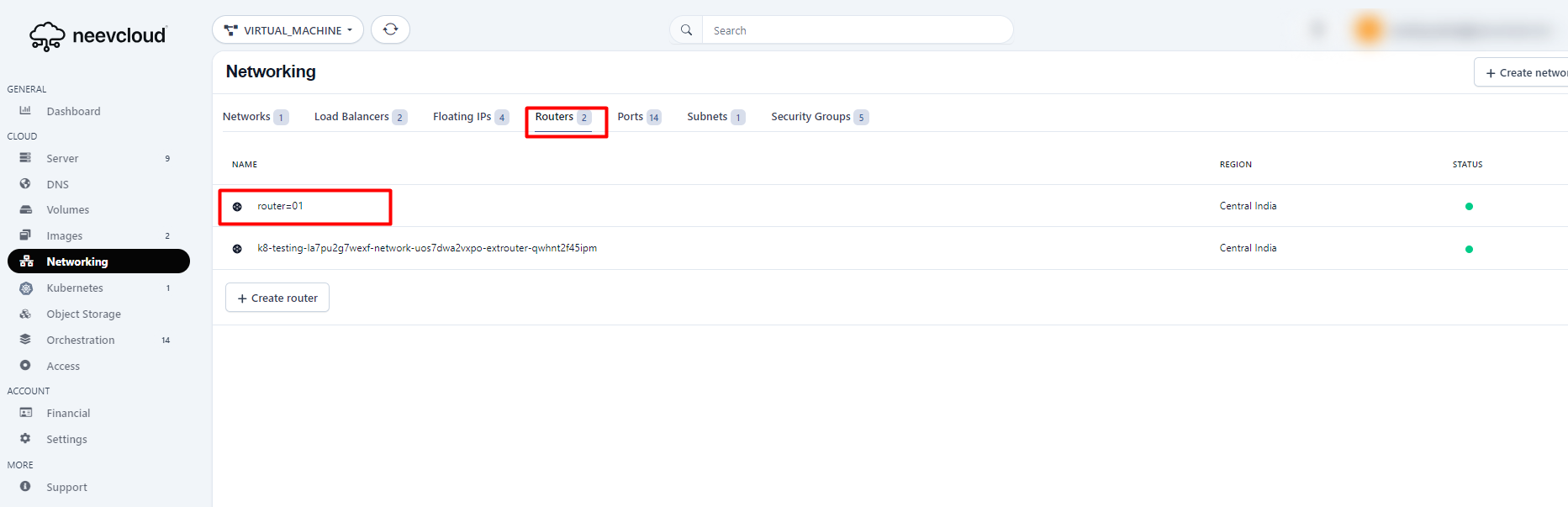
To create a route&#x72;**,** follow these steps:-> Navigate to the Routers section, Click on Create Router.

<figure><img src="https://1876135298-files.gitbook.io/~/files/v0/b/gitbook-x-prod.appspot.com/o/spaces%2FEC5NwtFshv6EATOemuUn%2Fuploads%2F53Kg5P9UsLRk62OihJnM%2Fimage.png?alt=media&#x26;token=d4409d0b-1016-4331-b826-51433700d049" alt=""><figcaption></figcaption></figure>

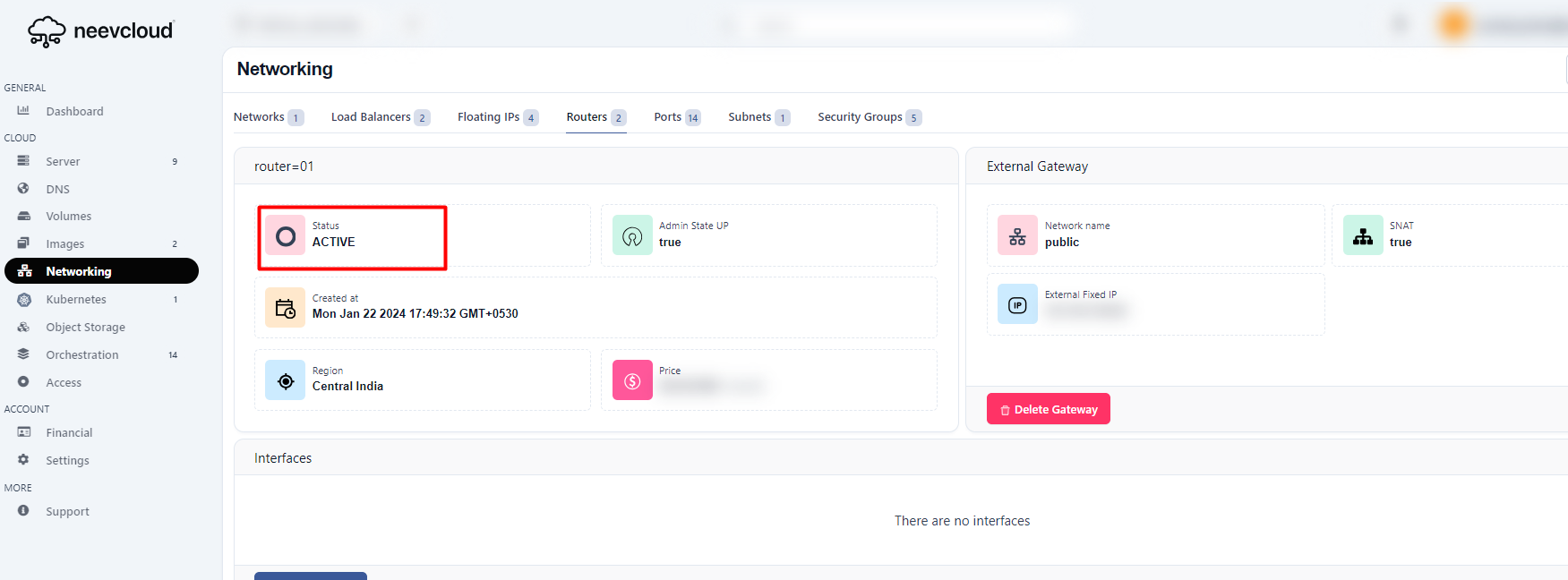
Once the router is created, click the router.

<figure><img src="https://1876135298-files.gitbook.io/~/files/v0/b/gitbook-x-prod.appspot.com/o/spaces%2FEC5NwtFshv6EATOemuUn%2Fuploads%2F4gkNf2gUj0dr5cl38GLZ%2Fimage.png?alt=media&#x26;token=51aadba0-1da2-4e96-a060-8de0cae2f157" alt=""><figcaption></figcaption></figure>

By selecting the created router, you can view additional details, such as its status, which may be "Active."

<figure><img src="https://1876135298-files.gitbook.io/~/files/v0/b/gitbook-x-prod.appspot.com/o/spaces%2FEC5NwtFshv6EATOemuUn%2Fuploads%2FDpYHvWiix5MZ75thAcsS%2Fimage.png?alt=media&#x26;token=37cfd2a8-de83-4480-9c90-ea054f613a69" alt=""><figcaption></figcaption></figure>

## Add Interface

To add the interface first create an interface to follow these [links.](https://docs.neevcloud.com/neevcloud-products/networking/network/create-a-network)

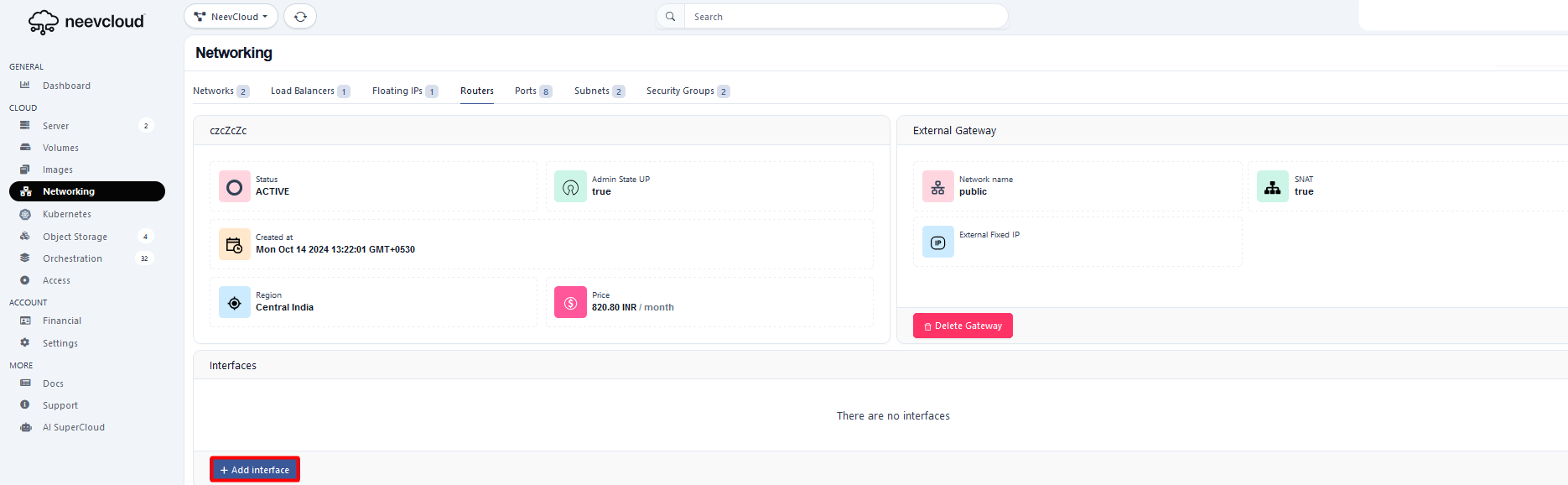
Click on the Add interface&#x20;

<figure><img src="https://1876135298-files.gitbook.io/~/files/v0/b/gitbook-x-prod.appspot.com/o/spaces%2FEC5NwtFshv6EATOemuUn%2Fuploads%2F4B8RKQQHblm3gp5EBWzP%2Fimage.png?alt=media&#x26;token=a0cdd5b7-377b-4738-8e0c-fd5f1e5ae971" alt=""><figcaption></figcaption></figure>

Select the interface

<figure><img src="https://1876135298-files.gitbook.io/~/files/v0/b/gitbook-x-prod.appspot.com/o/spaces%2FEC5NwtFshv6EATOemuUn%2Fuploads%2FCNNCA6ZYPb2yvUZdffrA%2FScreenshot%202024-10-14%20132701gfyhgfdh.png?alt=media&#x26;token=91078e21-0535-4e01-81b4-ffefd9076315" alt=""><figcaption></figcaption></figure>

To check the status of interface

<figure><img src="https://1876135298-files.gitbook.io/~/files/v0/b/gitbook-x-prod.appspot.com/o/spaces%2FEC5NwtFshv6EATOemuUn%2Fuploads%2Fzy0a5ArcmyWW0dSbVopF%2Fimage.png?alt=media&#x26;token=71a4a6c8-ce83-423e-9529-7cec4e5f8c22" alt=""><figcaption></figcaption></figure>