> For the complete documentation index, see [llms.txt](https://docs.neevcloud.com/llms.txt). Markdown versions of documentation pages are available by appending `.md` to page URLs; this page is available as [Markdown](https://docs.neevcloud.com/neevcloud-products/storage/object-storage/create-bucket.md).
# Create Bucket
A Buckets in cloud computing is a container used to store data.
A bucket is a storage container for holding data objects, like files and folders, within a cloud storage service. It's used to organize and manage data, making it easier to access and retrieve.
### To create buckets follow these steps.
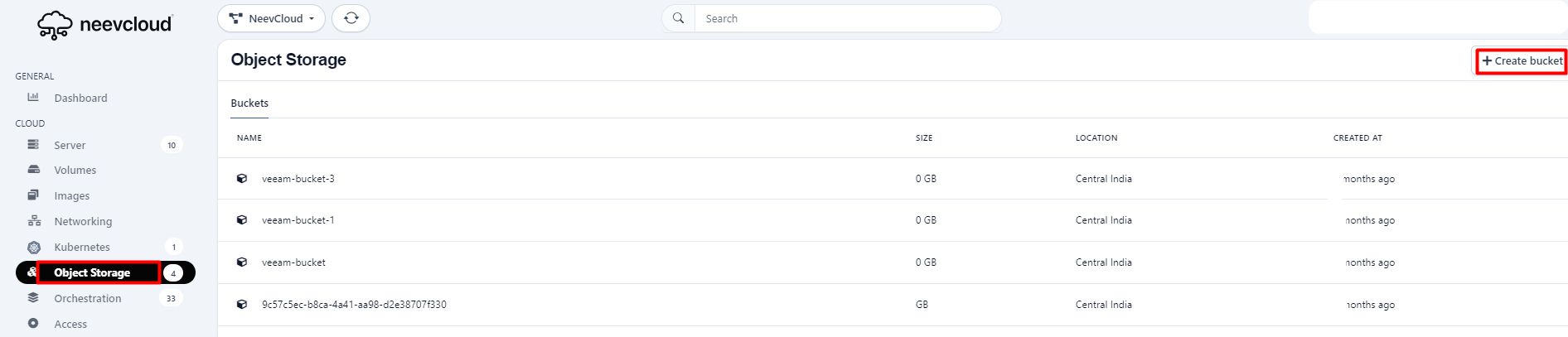
Navigate to the NeevCloud dashboard, select the object storage section, and click on the top of the right corner to create a bucket.
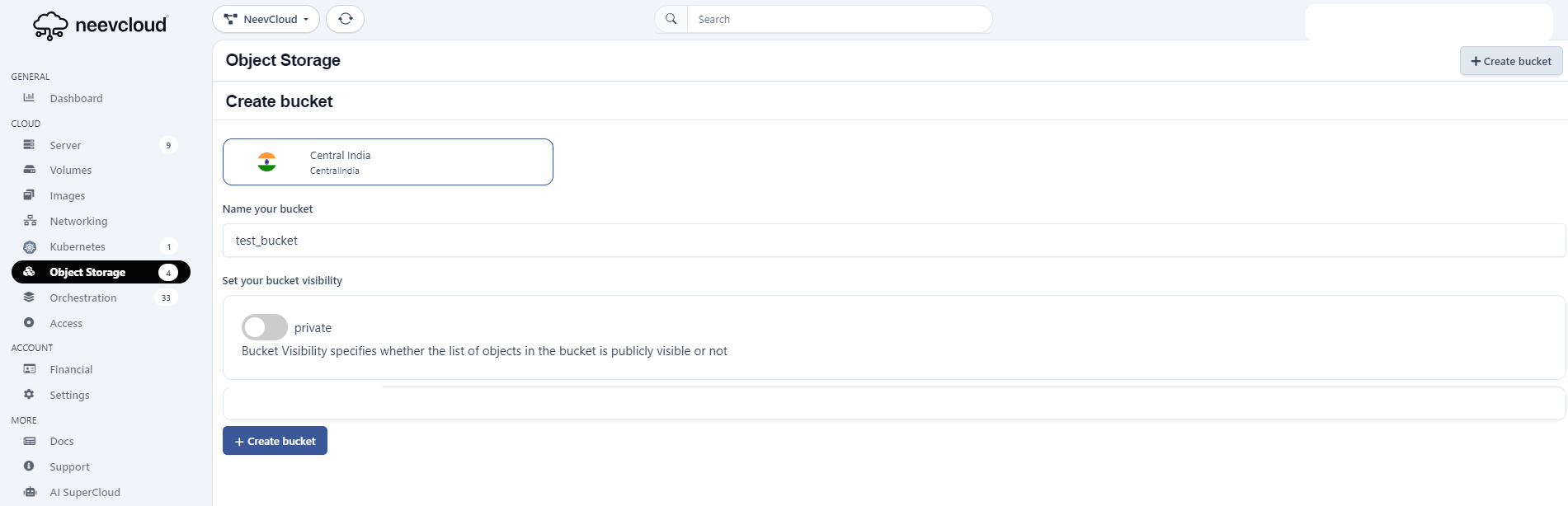
Specify the name of the bucket.
{% hint style="info" %}
* Bucket names must be between 3 (min) and 63 (max) characters long.
* Bucket names can only of lowercase letters, dots (.), and hyphens (-).
* Bucket names should be unique names.
{% endhint %}
Set your bucket visibility: Buckets are private by default upon creation.
{% hint style="info" %}
Ensure you enable the toggle button so your object is visible publicly.
{% endhint %}